PropoBox, Proposal Management
PropoBox is a proposal management platform that brings the entire process of creating, sending, tracking, and closing proposals together in one fast workflow.
- Industry
- SaaS
- Service
- Product design, full-stack development, cloud hosting
- Stack
- Next.js, Supabase, Stripe, Figma
- Timeline
- One year
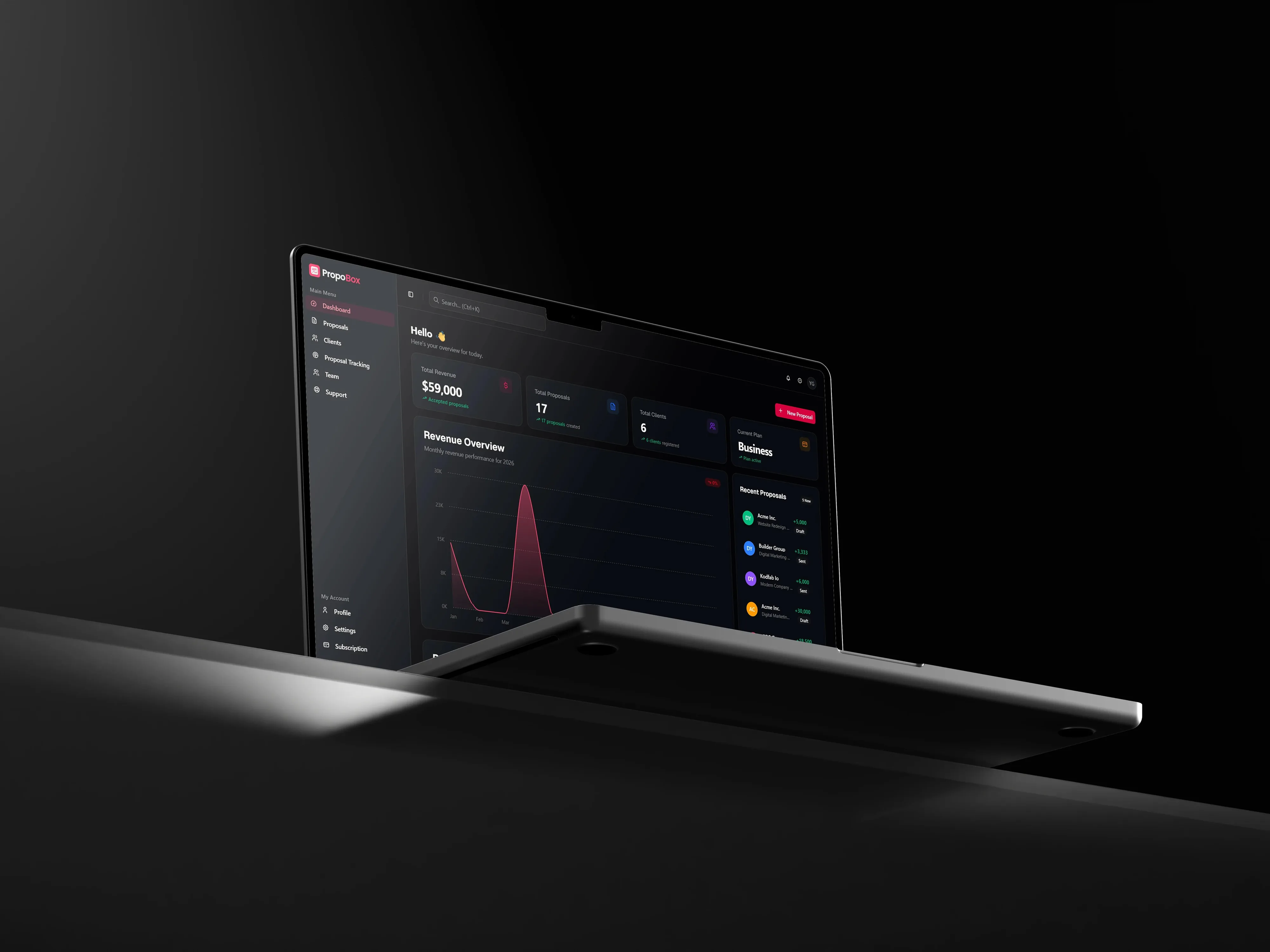
A workflow product, not a document editor
Most proposal tools stop at producing a document. The rest of the job runs across disconnected apps: writing in an editor, exporting a PDF, sending it by email, guessing whether it was opened, chasing a reply, and filing the signed copy.
We built PropoBox around that whole job. Creating a proposal, delivering it, tracking engagement, and collecting an approval and signature all happen in one continuous flow, for freelancers, agencies, consultants, and in-house sales teams.
The design problem was serving two needs at once: letting someone answer a lead in minutes, while giving teams enough control for detailed, high-value work. The system pairs a focused Quick Mode, a configurable Advanced Mode, optional AI drafting, a preview that stays visible while you build, and a client experience that needs no account.
Kodfabrika delivered it full stack: product strategy and UX, the interface, the back end, payments, and hosting.
Create → Send → Track → Close.
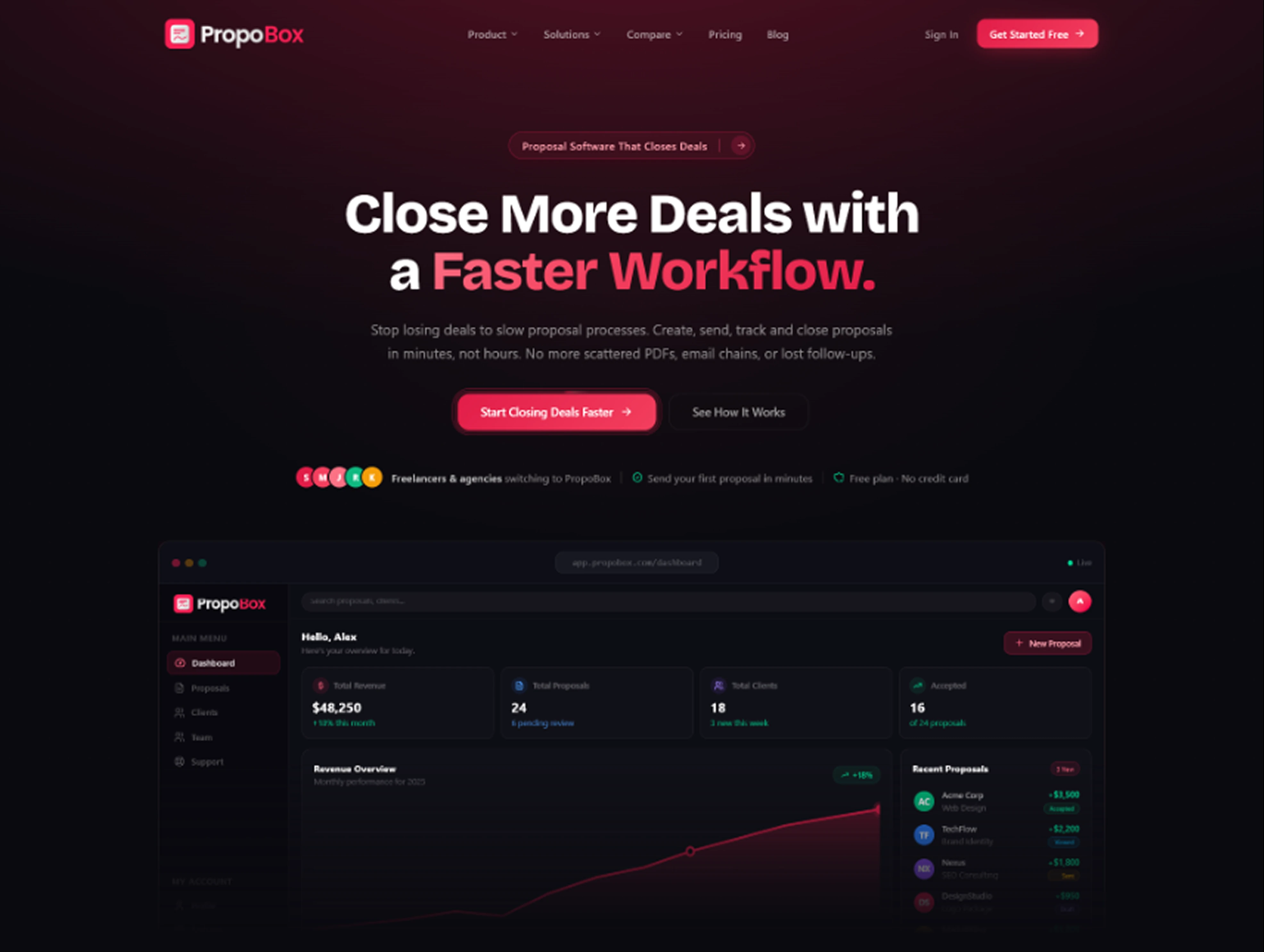
One path from first draft to signed deal
PropoBox turns the proposal lifecycle into four connected stages instead of four separate tools.
Create
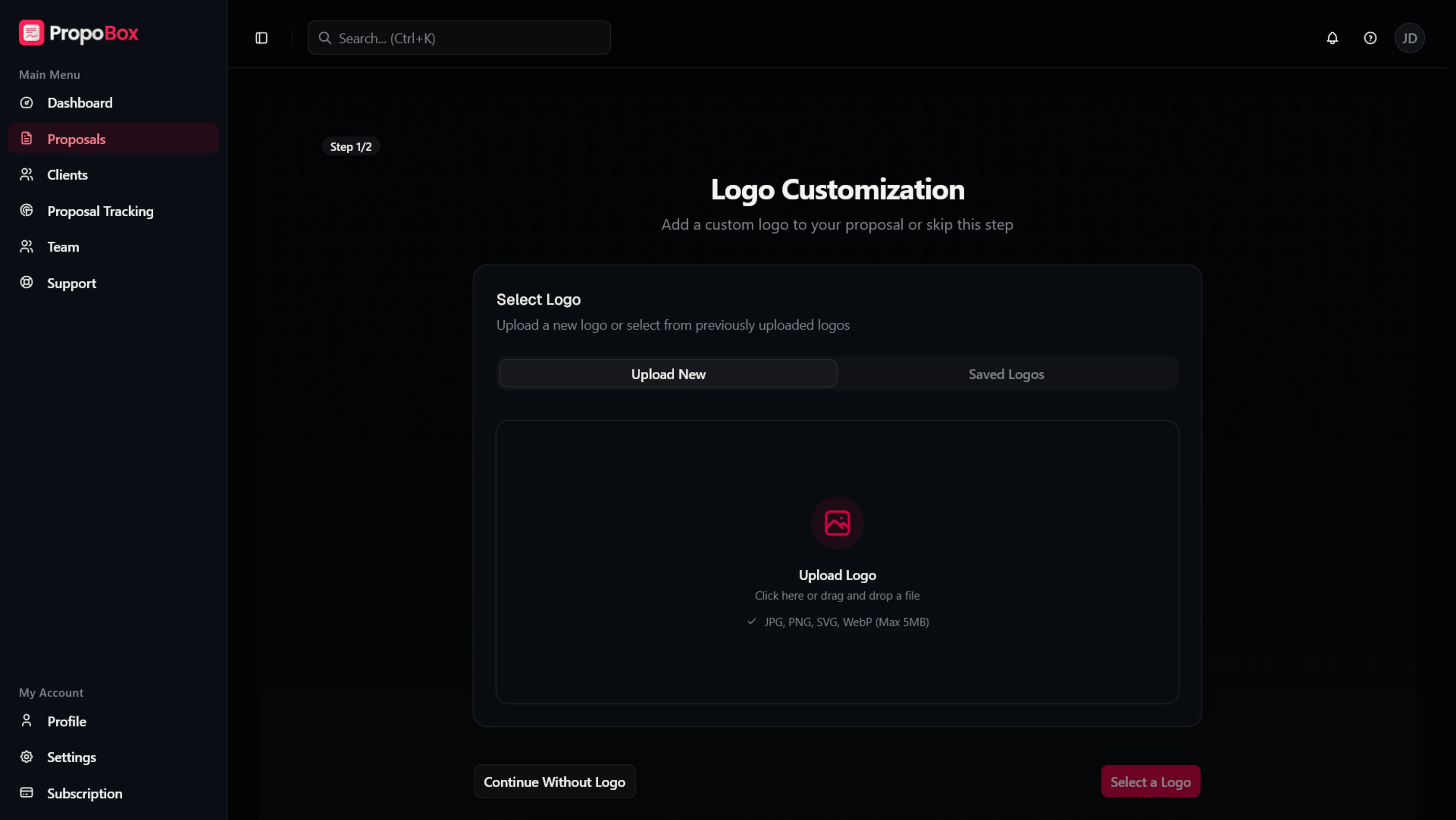
Start in Quick Mode for a fast, guided proposal, or switch to Advanced Mode for cover pages, detailed scope, timelines, deliverables, pricing controls, and legal terms. AI can draft a first pass from a short description, and every section stays editable.
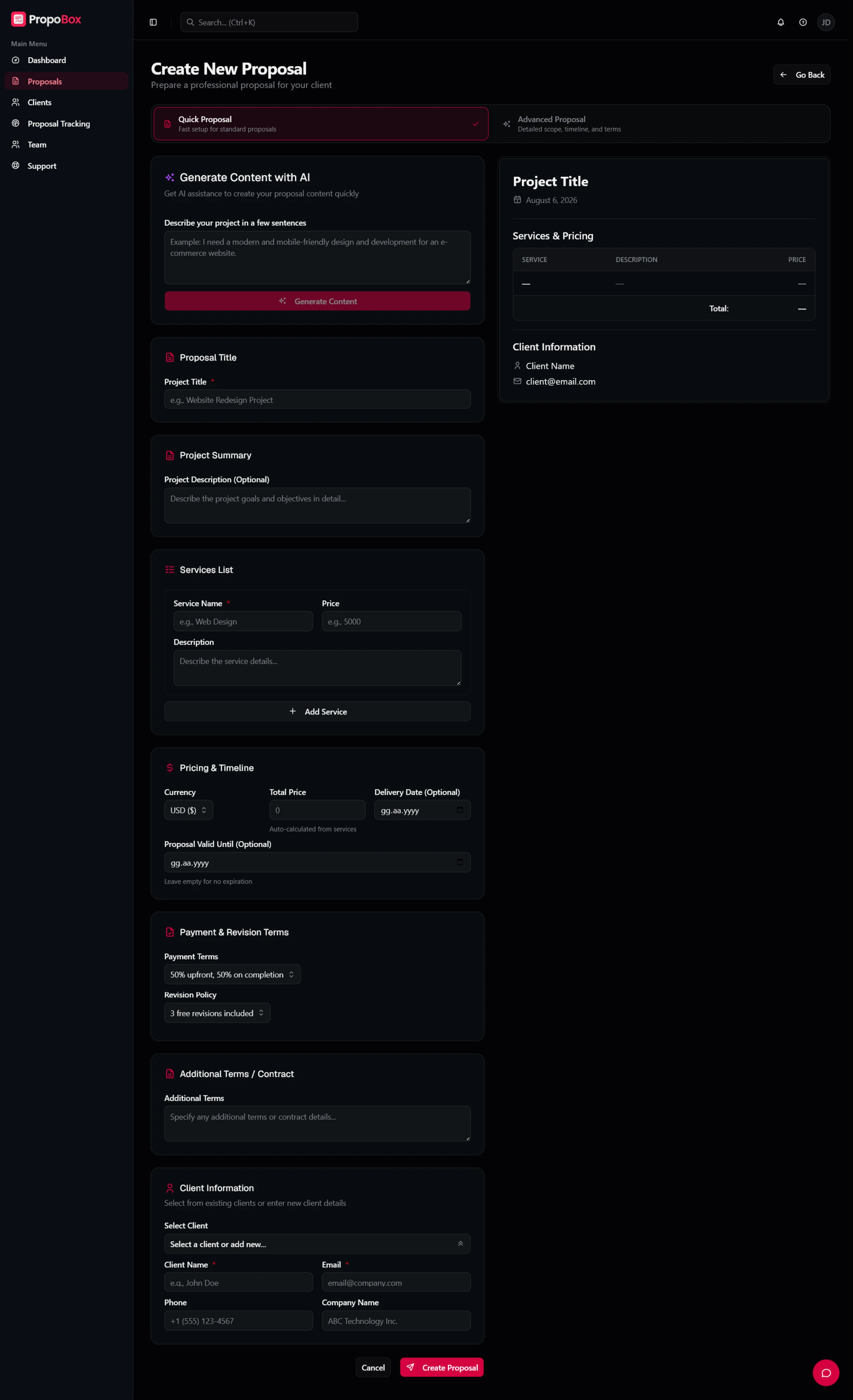
Send
Download a PDF, share a secure web link, or send by email straight from the success screen, so the next action is always in view instead of scattered across other tools.
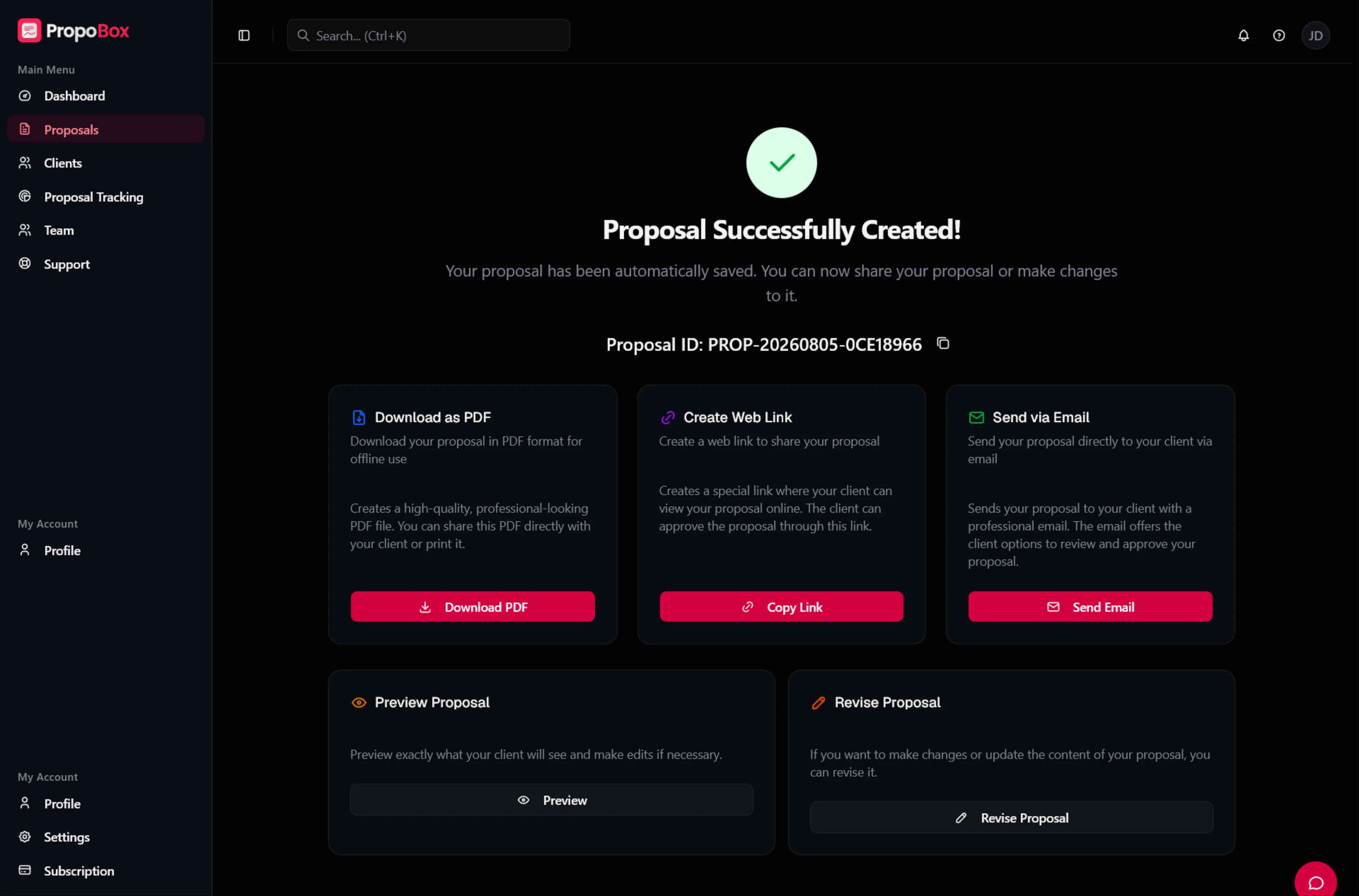
Track
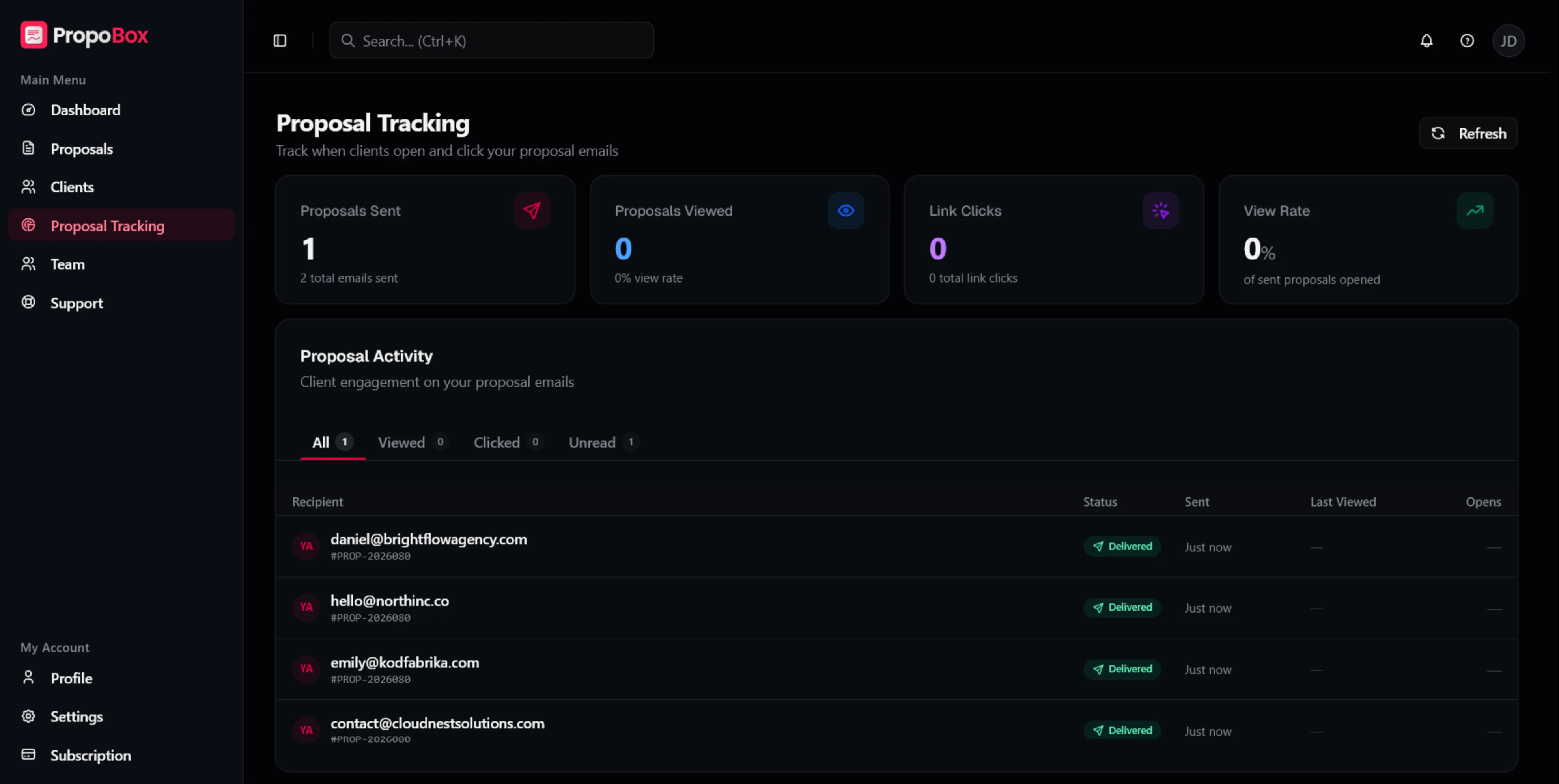
Delivery state, opens, link clicks, and recent activity come back into the product, so follow-up is less of a guess. Tracking depth is plan-aware: every account sees core status, and deeper signals unlock on higher plans.
Close
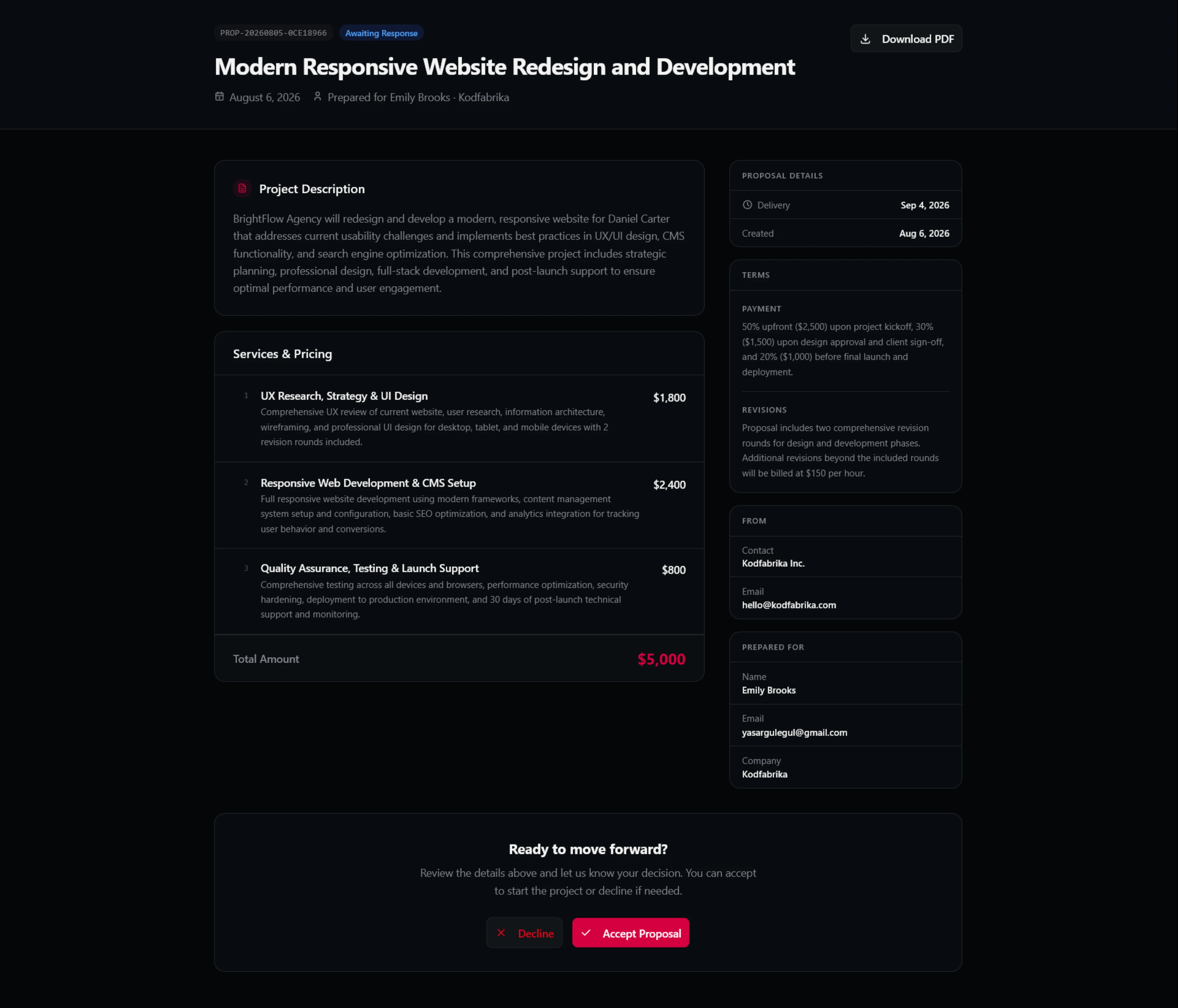
The recipient opens a focused, dashboard-free proposal, reviews scope and pricing, and accepts or declines on the same page, with a drawn signature, a timestamp, an audit trail, and no PropoBox account.
The friction starts after the document looks good
A polished proposal was only ever half the job. The workflow around it was where time leaked:
- 01
Draft: a blank page slows the response to a new lead
- 02
Format: turning content into a clean document means rework and inconsistent layout
- 03
Send: exporting and emailing a PDF moves the work out of the tool and out of view
- 04
Follow up: there is no signal for whether the proposal was even opened
- 05
Approve: confirming through email or a separate e-sign tool adds steps for both sides
So PropoBox did not need to be the most flexible document editor. It needed to close the gaps between a proposal being started and a client making a decision.
Speed had to shape the whole system, not one screen
Framing the job as “help people write proposals faster” would have produced a writing tool with AI at the centre. We framed it more broadly.
How might we reduce the time and uncertainty between a new opportunity and a clear client decision, without removing the control that complex proposals need?
Speed without loss of control
The default path stays light. Deeper controls appear when the proposal actually needs them.
One workflow, not a pile of features
Creation, delivery, tracking, and approval read as stages of the same object.
No recipient-side friction
The client needs no account, no install, and no training to review and respond.
AI is a helper, not the hero
It removes blank-page effort. The user still owns the content, the structure, and the decision.
Three choices that shaped the product
Each one traded something away. Naming the trade-off is the honest way to record why the product looks the way it does.
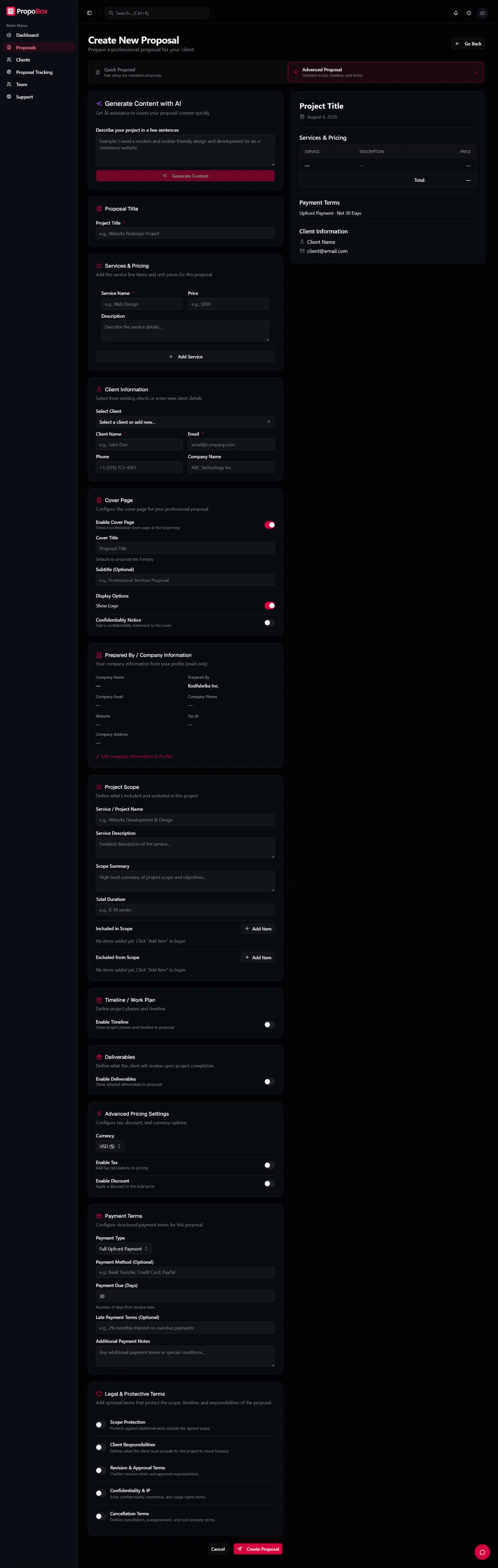
Two creation modes instead of one overloaded editor
- Problem
- A single builder cannot serve a freelancer sending a quick quote and an agency scoping a large engagement with tax, discounts, deliverables, and legal clauses.
- Decision
- Two clearly named entry points. Quick Mode covers the essentials: title, summary, services, pricing, dates, payment and revision terms, and client details. Advanced Mode adds cover pages, company information, detailed scope, timeline, deliverables, advanced pricing, and legal clauses. Both share one structure and one output.
- Trade-off
- The choice comes up front. The selector explains the consequence of each option, speed for standard proposals or depth for complex ones, before any data is entered.
- Result
- A five-minute path for common proposals, without capping the depth higher-value work needs.
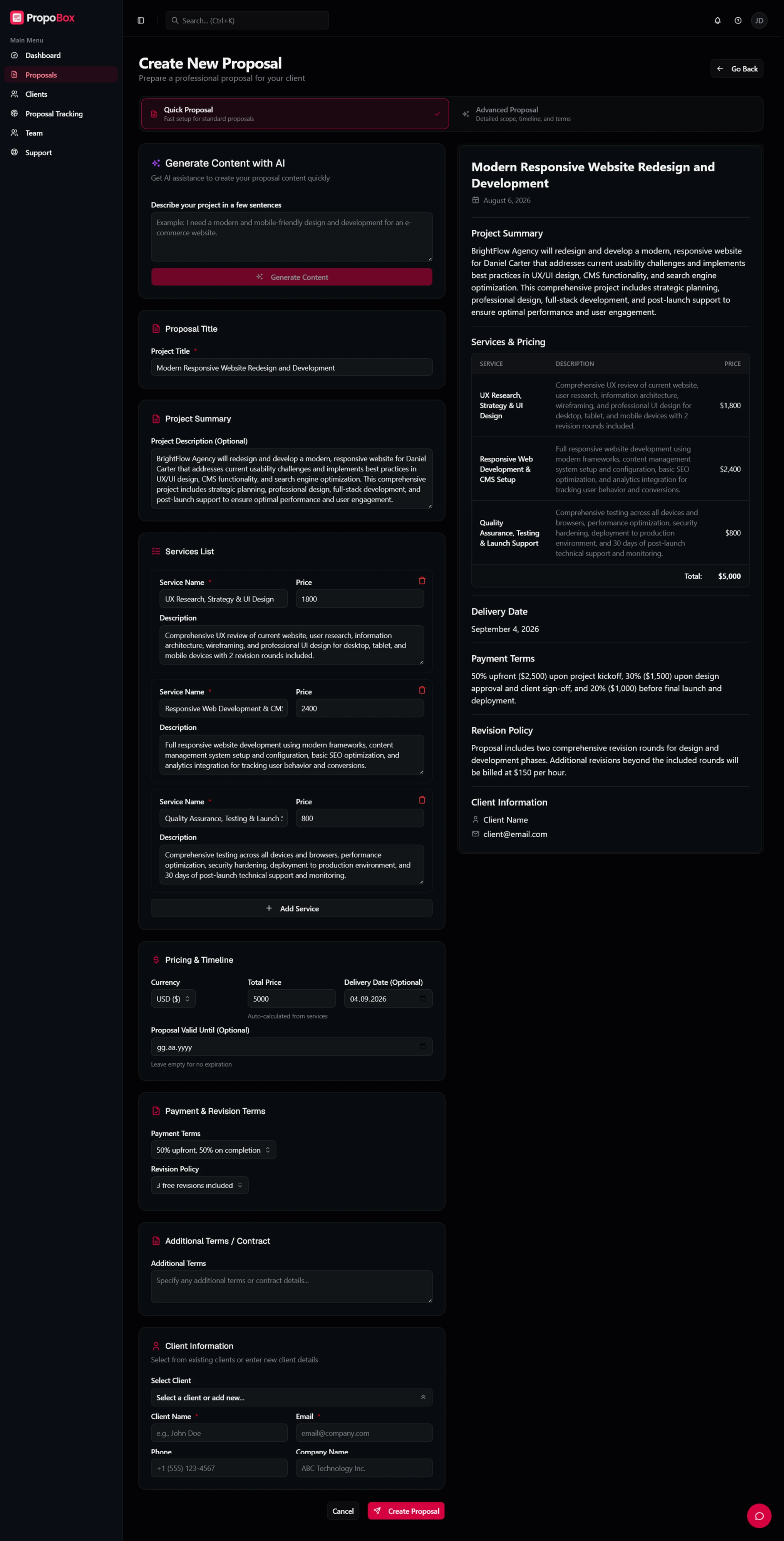
Keep the finished proposal visible while it is being built
- Problem
- Long forms pull attention to single fields. Waiting until the end to see the result means fill, generate, inspect, then hunt back for the wrong field.
- Decision
- The form is paired with a live preview that keeps the client-facing hierarchy (title, summary, service breakdown, total, delivery date, terms, client info) as you type. AI output lands in the same editable fields as anything typed by hand, and nothing sends without review.
- Trade-off
- A permanent preview costs form width, so the form and preview get distinct surfaces and desktop is treated as the primary creation environment.
- Result
- You can see the proposal’s structure while building it and catch missing or inconsistent information before the final output.
Design the handoff around the client’s decision
- Problem
- The creator and the recipient want different things. The creator needs control, history, and analytics; the client needs to understand the offer and decide with minimal effort. Showing both sides the app interface hands product complexity to the recipient.
- Decision
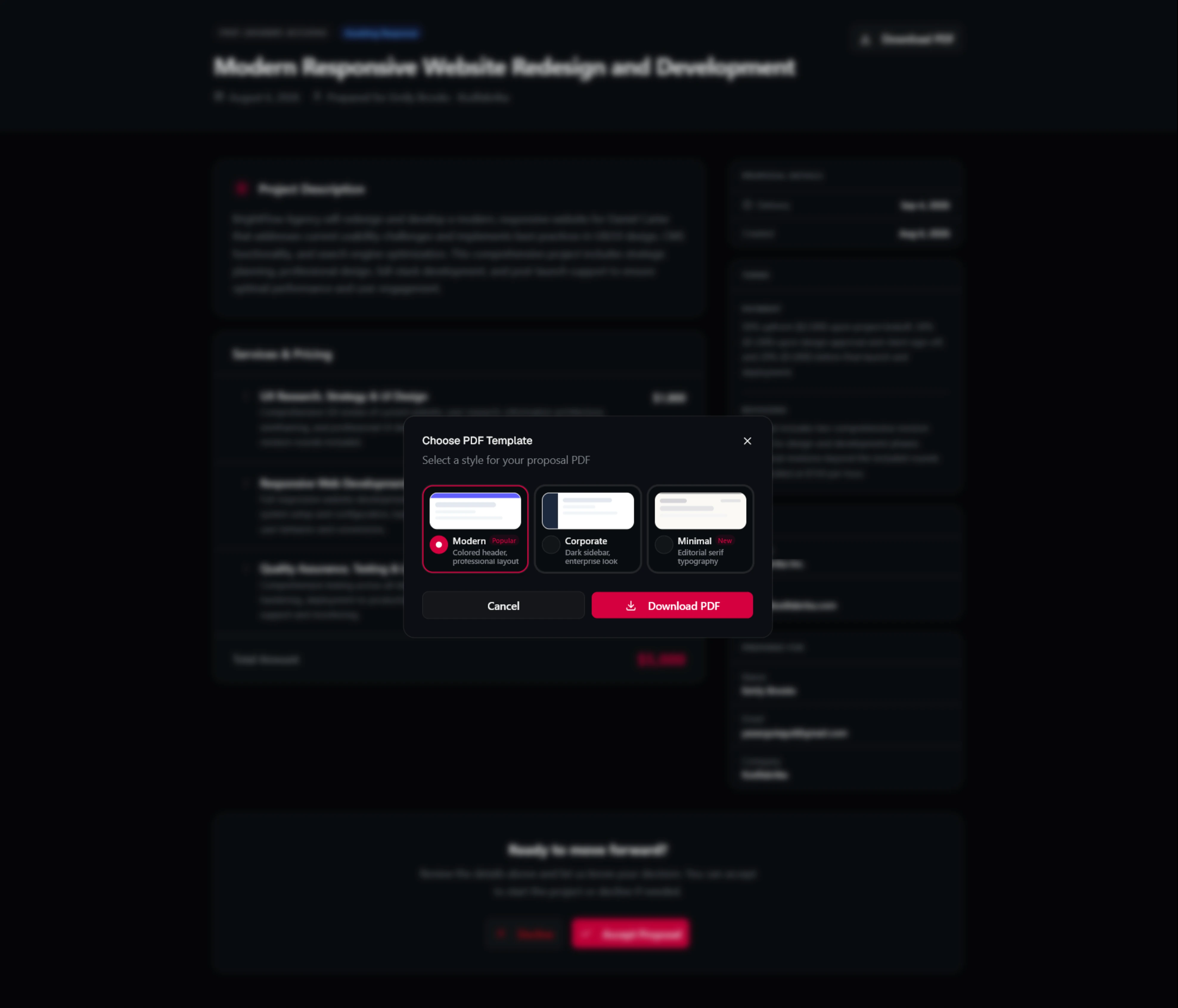
- A separate client-facing surface built around four questions: what is being proposed, what is included and what it costs, what the terms are, and what to do next. The link drops dashboard navigation, scope and pricing carry the visual weight, and a clear decision area closes the page. Clients can download the PDF, accept, decline, and sign without registering.
- Trade-off
- The client view cannot expose every authoring control without becoming a distraction, so deeper configuration stays in the creation flow.
- Result
- Authoring to sharing, and reviewing to deciding, stay inside one connected experience.
Proposals as states, not files
Sending is not the end. Teams still need to know whether a proposal was delivered, opened, revisited, accepted, or declined.
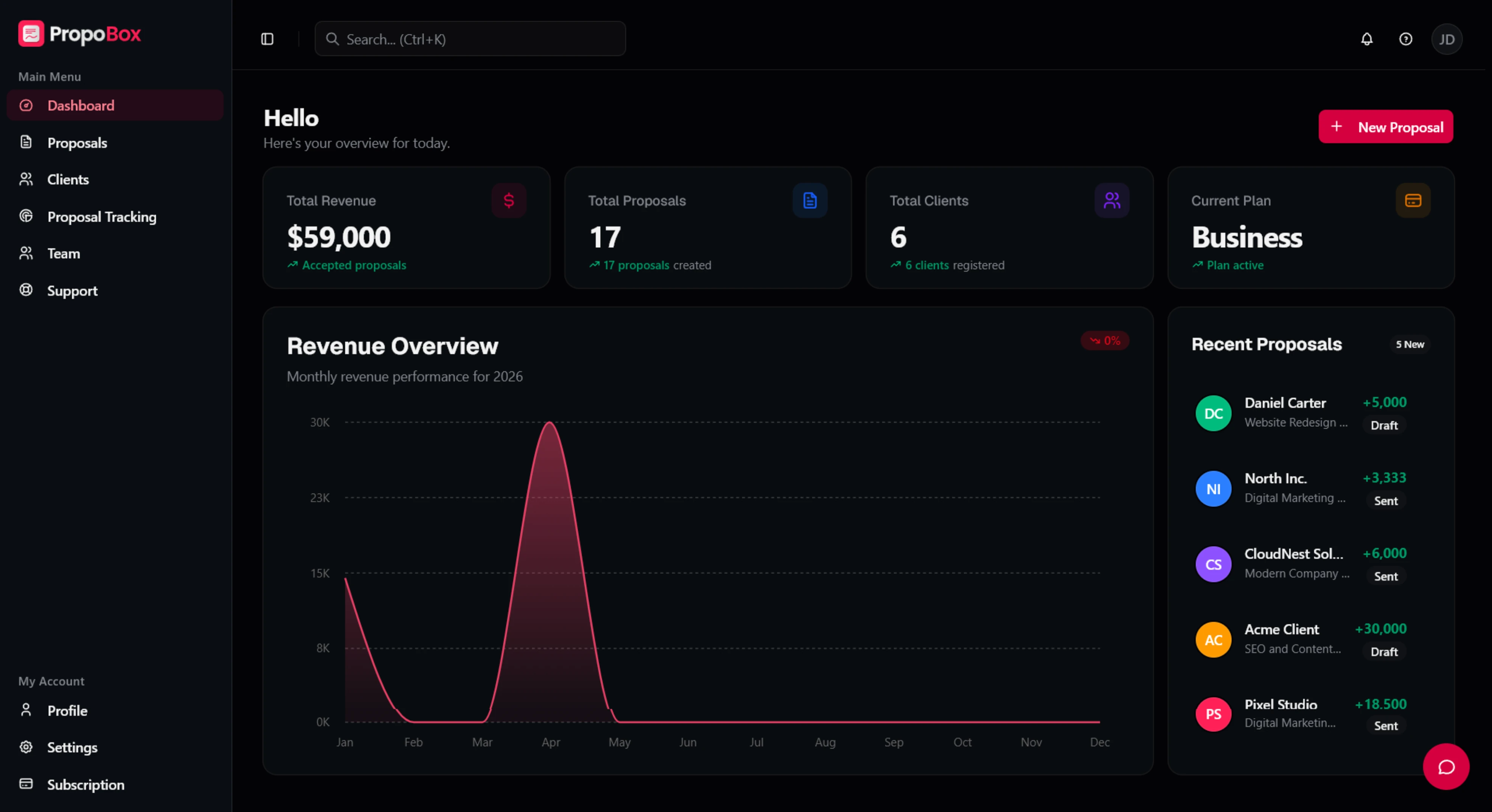
PropoBox treats every proposal as a stateful object. The list view shows status at a glance, the tracking view separates delivery, opens, clicks, and recent activity, and the dashboard rolls the accepted revenue up into an operational view.
proposal.created id: prop_8f2c1 owner: sales@client.com ✓ sent✓ opened● viewed 3×✓ signed & closed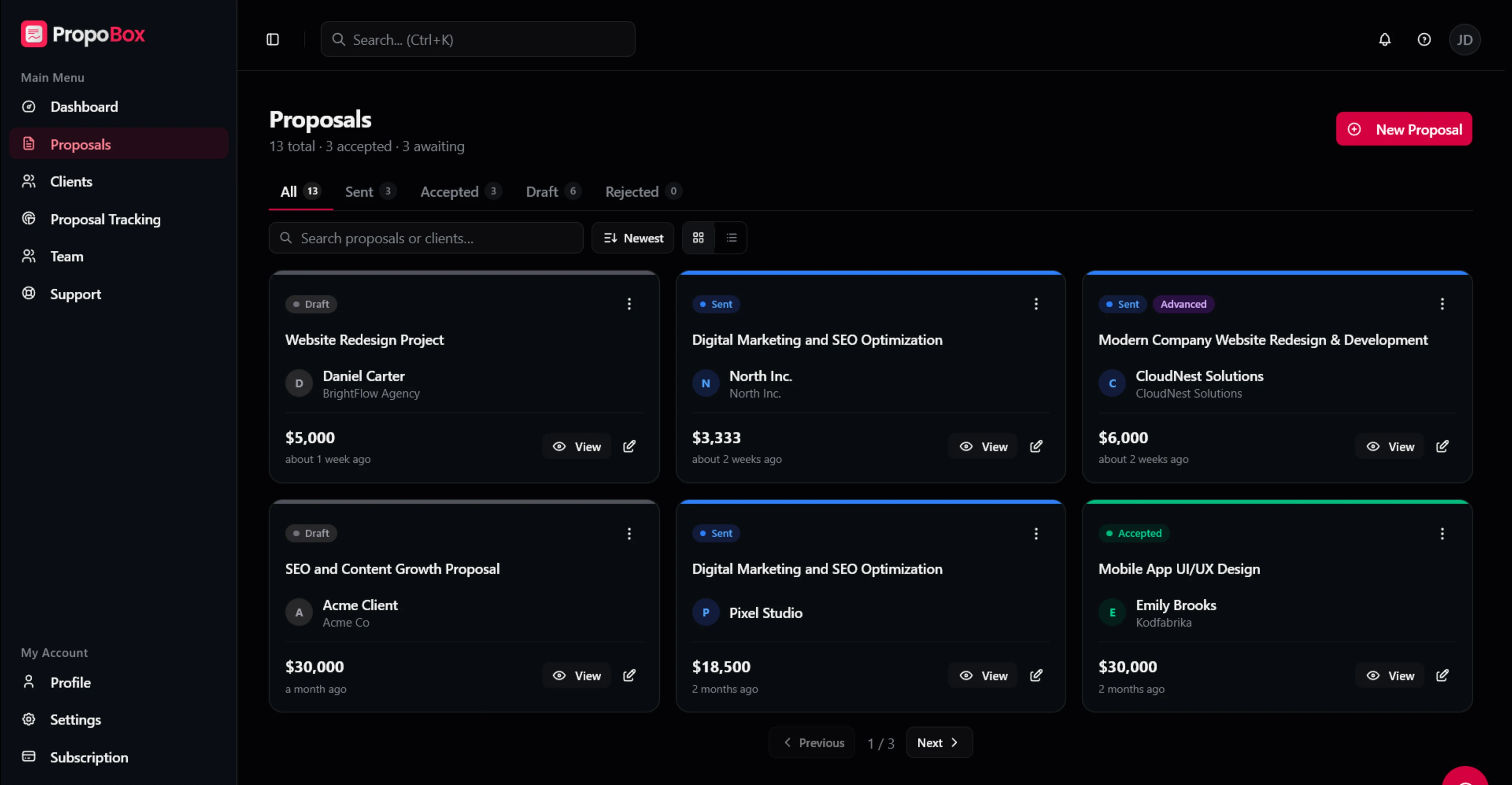
Designed and built as one team, full stack
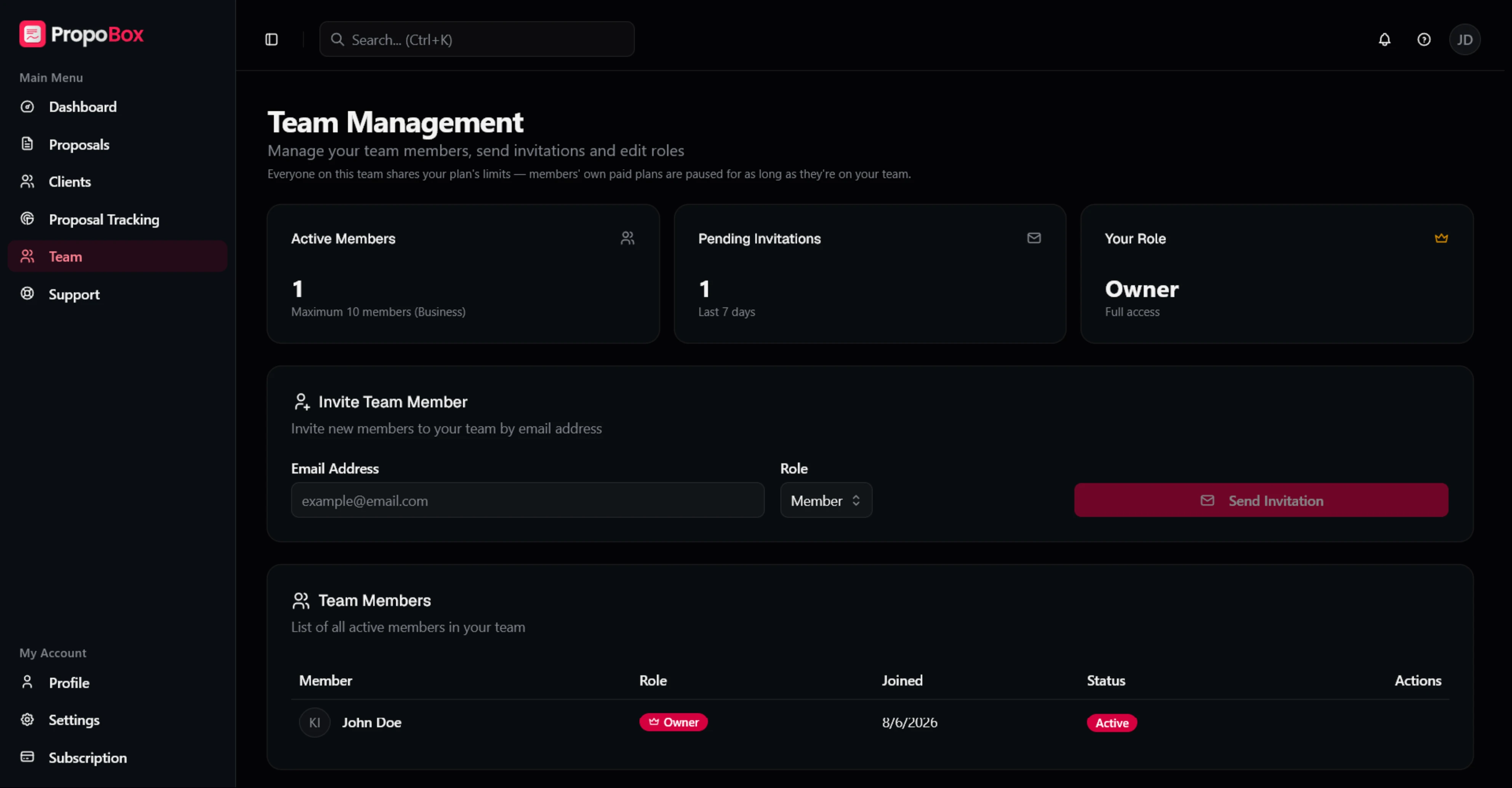
PropoBox was designed and built end to end by one team. The people who shaped the interface also wrote the Next.js application, the Postgres data model and access rules on Supabase, the server logic behind proposal creation and delivery, the Stripe billing and plan limits, PDF generation, and transactional email.
Because design and engineering were the same effort, the data model was worked out alongside the screens. Reusable patterns such as status chips, metric cards, and the form-and-preview layout were built as shared components, so the interface and the back end stayed in sync as the product grew.
We use AI through our own build process as well, for implementation, debugging, and exploration, while keeping ownership of the product decisions, the architecture, and the final code.
One system across creator, client, and business surfaces
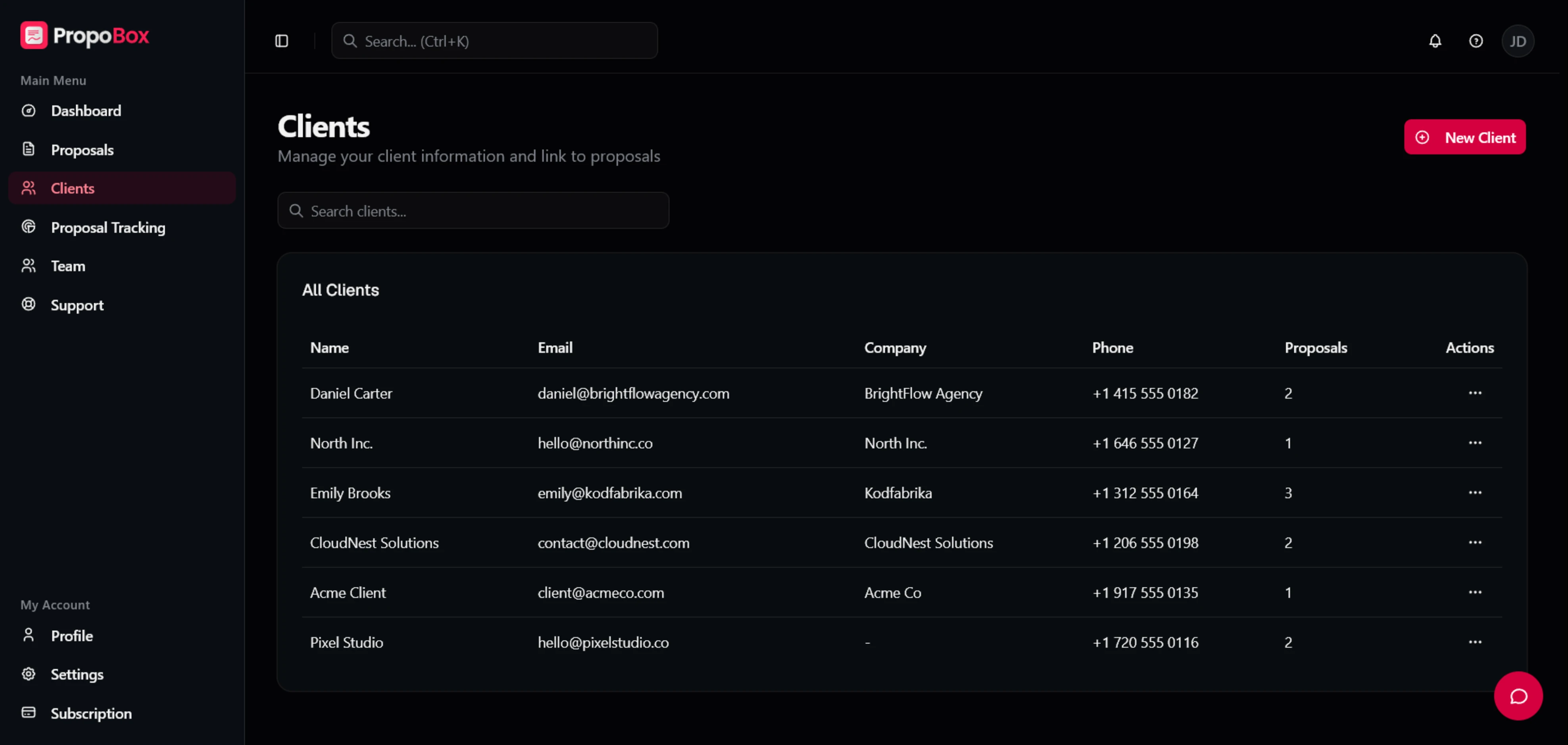
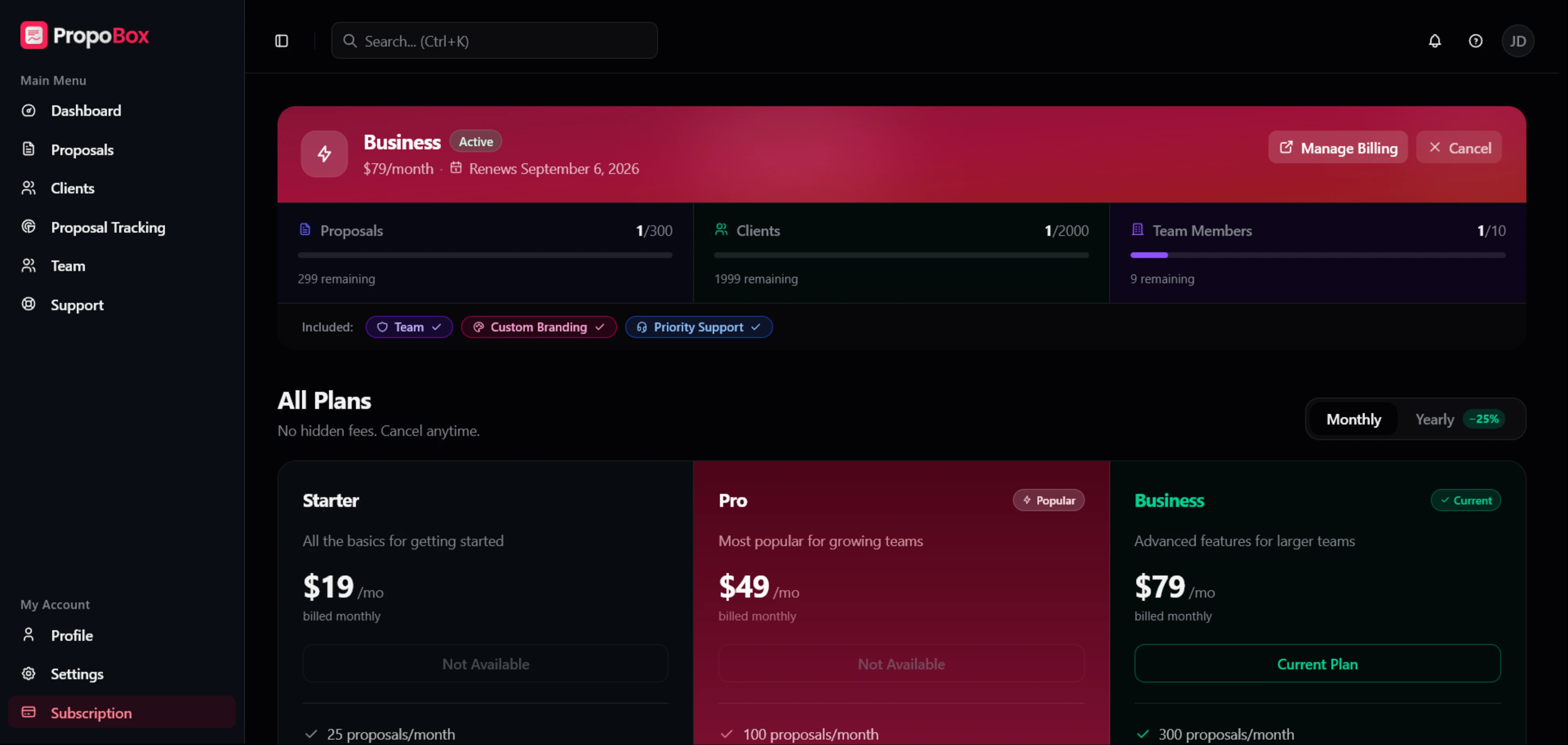
A marketing site, auth, a creator dashboard, long-form builders, a recipient proposal, analytics, team management, support, and billing, all kept related without being made identical.
A dark, premium SaaS language: a near-black background, layered surfaces, restrained borders, and a single rose accent kept for primary actions and brand moments. Status stays semantic, with one blue for sent and viewed, one green for accepted, and neutral tones for drafts. Bricolage Grotesque carries display headlines, while DM Sans and Geist keep dense forms, tables, and proposal content clear.
- Rose#E11D48
- Page#0A0A0F
- Surface#111118
- Secondary surface#16161F
Focus over feature breadth
The product serves several customer types, so the workflow had to stay legible without onboarding or specialist training. That meant being deliberate about what PropoBox is, and what it leaves to other tools.
- A proposal workflownot a general document or e-signature platform
- Client approval on a proposalnot a general-purpose e-signature suite
- Proposal-linked client recordsnot a CRM
- Optional drafting assistancenot an AI-first writing product
Those boundaries shaped the interface, the marketing language, the pricing model, and the roadmap, and left deeper integrations and reporting as clear future work.
A complete 0 to 1 SaaS build
A live product that connects both sides of a proposal: the professional preparing and tracking the offer, and the client reviewing and deciding on it.
The honest claim today is a complete, working product. We have not published conversion or retention figures, because the verified usage data to back them does not exist yet. The illustrative numbers on the marketing site are not case-study outcomes.
What we would validate next
Before widening the feature set, the next work is instrumentation. Four things we want real data on.
Activation
First-proposal rate, time from signup to first completed proposal, Quick vs. Advanced split, AI-assist usage and edit rate.
Workflow completion
Share of proposals actually sent, preferred delivery method, form abandonment by section, revisions before sending.
Client engagement
Open and return-view rate, time from send to first view, time from first view to decision, acceptance and decline rate.
Retention and value
Second-proposal rate, proposals per active account, which usage limits trigger upgrades, qualitative feedback on speed and clarity.
Building PropoBox reinforced that speed comes from removing handoffs across the whole journey, not from shortening one form. A fast draft means little if delivery, follow-up, and approval still happen in disconnected tools.
More of the surfaces
Built to last.
Started this week.
Tell us what you’re trying to build. You’ll get a written scope, a realistic budget, and a plan, not a proposal deck.